
August 14, 2026
How to Optimize Your Airbnb Listing for More Bookings (2026)
By Shaun Ghavami
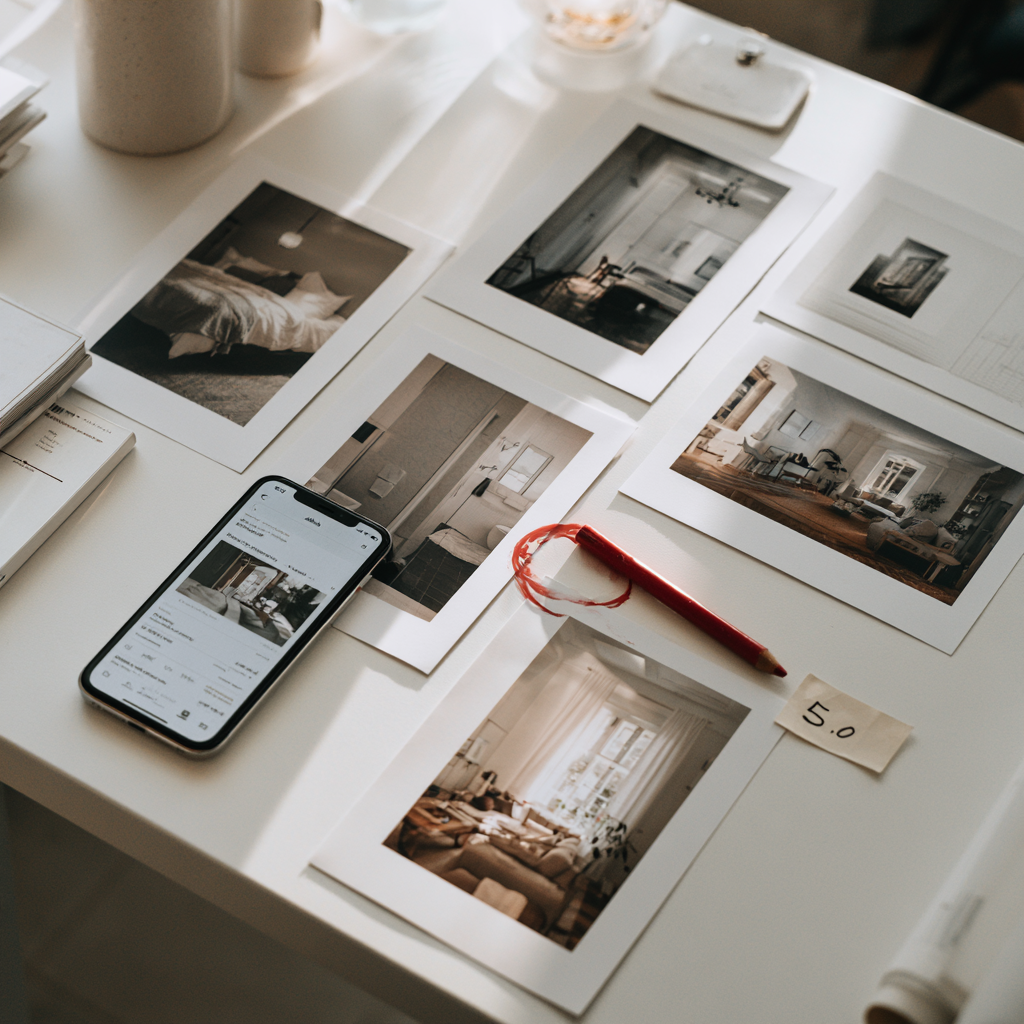
To optimize your Airbnb listing for more bookings, fix the five elements guests judge in seconds: the cover photo, the title, the description, the amenities, and your reviews. Airbnb rewards listings that earn clicks and then turn those clicks into bookings, so every edit should either pull more people onto your page or convince more of them to book once they land. Complete the listing fully, load 20 or more sharp photos, check every amenity you actually offer, and answer messages fast. That combination lifts both your search position and your booking rate.
I have managed a portfolio worth over $100 million for other owners and hosted more than 3,000 guests, and the pattern never changes. The listings that win are not the fanciest properties. They are the ones set up so the cover photo stops the scroll, the first line of the description answers the guest's real question, and the reviews remove any doubt. Below is the exact pass I run on a listing, in order, so you can run it yourself or for a client.
The five listing elements that drive conversion
A booking happens in two steps. First a guest clicks your listing out of a page of search results. Then, on your listing, they decide to book. Five elements control those two moments, and they are the only things worth touching first.
| Element | What it controls | Fastest win |
|---|---|---|
| Cover photo | Whether the click happens at all | Swap in your single best, bright, wide shot of the main space |
| Title | Click-through from the search grid | Lead with the top feature, keep it short and readable |
| Description | Whether the click becomes a booking | Answer the guest's first question in the opening line |
| Amenities | Search filters and guest confidence | Check every amenity you truly offer, aim for 20 or more |
| Reviews | Trust and long-term ranking | Earn 5-star reviews with a tight, repeatable stay |
1. Cover photo
Your cover photo is the one image a guest sees in the search grid, and it decides whether they click at all. Pick a bright, wide shot of your best room, usually the living space or a standout feature, not the bathroom. Real hosting photography is a skill on its own, so if you want the full shot list and lighting rules, read my guide to Airbnb photography tips.
2. Title
The title sits under the cover photo and does the second half of the convincing. Lead with the single feature a guest cares about most, a hot tub, a walkable location, a view, then keep it short and readable. PriceLabs recommends keeping the title tight, roughly 50 to 60 characters, so the whole thing shows on mobile without cutting off.
3. Description
Once a guest clicks, the description is what turns interest into a booking. Answer their first question in the opening line, then break the rest into short, scannable sections. There is a real craft to this, and I break the full structure down in how to write an Airbnb listing description.
4. Amenities
Amenities do double duty. They put you inside more search filters, and they answer the practical questions that make a guest hit book. Check every amenity you honestly provide and add the ones guests expect, like fast Wi-Fi and a dedicated workspace. For the features that move the needle most, see the best Airbnb amenities to add.
5. Reviews
Reviews are the trust layer, and they compound. A wall of recent 5-star reviews removes the last hesitation before booking and feeds your long-term ranking. You earn them by running a tight, consistent stay, and I walk through the exact system in how to get 5-star Airbnb reviews.
How Airbnb ranking connects to listing quality
Optimizing a listing is not a separate task from ranking on Airbnb. They are the same task. Airbnb's own help center lists four things that move a listing's position in search: quality, popularity, price, and location, per Airbnb's Help Center. You cannot move your location, and price is a lever on its own, so quality and popularity are where a listing pass pays off.
Popularity comes down to two numbers you can actually control. The first is click-through rate, the share of people who see your listing in search and click it. The cover photo and title drive that. The second is conversion rate, the share of clickers who book. The description, amenities, and reviews drive that. Fix both and Airbnb reads your listing as one guests like, then shows it to more of them.
A quick worked example (illustrative math, assumed inputs)
Say your listing gets 1,000 search impressions in a month. At a 2% click-through rate, that is 20 people landing on your page. At a 5% booking conversion, that is 1 booking. Now improve the cover photo and title so click-through rises to 4%, which is 40 views, and tighten the description, amenities, and reviews so conversion rises to 8%, which is about 3 bookings. Same search traffic, roughly three times the bookings. The numbers here are assumed inputs to show the mechanism, not Airbnb data, but the payoff is real: small edits to two rates multiply. Price sits alongside these, and I cover it fully in how to price your Airbnb.
The single highest leverage line on the whole listing is the title, and I stocked Airbnb listing titles with ones that work.
The step-by-step optimization checklist
Run this in order on any listing. It is the same sequence I use on a new client property before I touch pricing.
- Complete the listing 100%. Fill every field. A half-finished listing looks risky to guests and gives Airbnb less to rank.
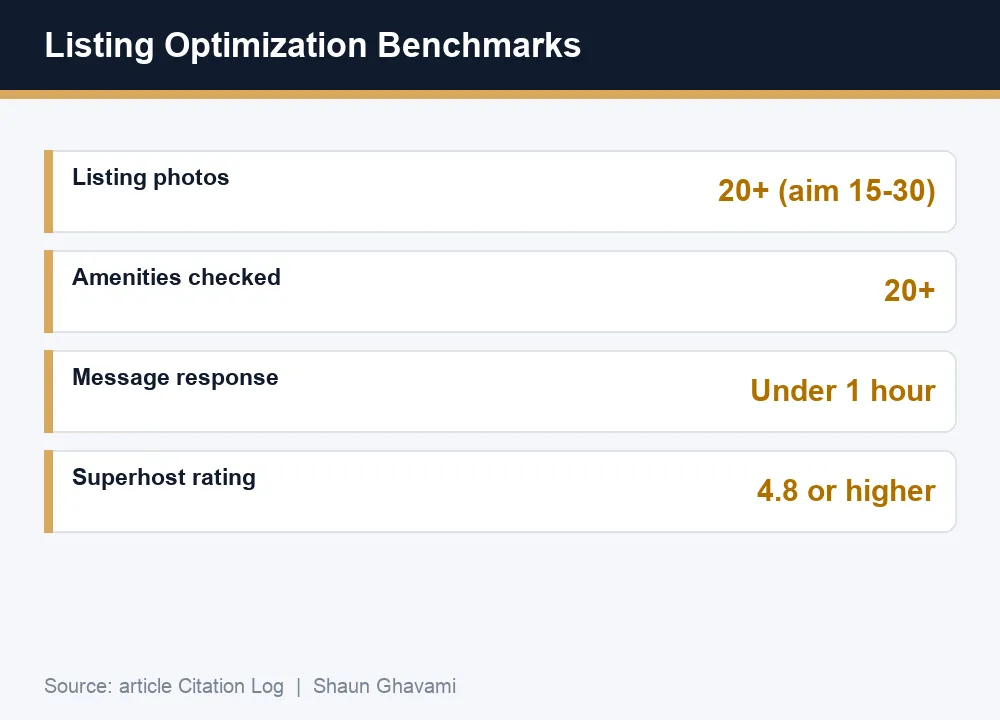
- Load 20 or more photos. Awning recommends at least 20, and PriceLabs suggests 15 to 30 covering every space a guest will use. Lead with your strongest image.
- Check every real amenity, aim for 20 or more. Awning points to targeting 20-plus checked amenities. Only check what you genuinely provide, because a missing item shows up in reviews.
- Respond fast. Awning recommends replying to messages within one hour. Airbnb's Superhost standard is a 90% response rate within 24 hours, per Airbnb's Superhost help article, so faster is always safer.
- Set a competitive price and open the calendar. Airbnb favors listings priced in line with comparable homes nearby. Keep availability open so you are eligible for more searches.
- Consider Instant Book. Awning reports that enabling Instant Book can bring up to 20% more bookings by removing the approval step.
If you want to fold this into a full operating routine rather than a one-off edit, see how to run an Airbnb business.
Common listing mistakes that suppress bookings
Most underperforming listings share the same handful of problems. Fix these before you blame the market.
- A weak cover photo. A dark, cluttered, or narrow first image kills your click-through before anyone reads a word.
- A keyword-stuffed title. Cramming five features and capital letters into the title reads as spam and gets cut off on mobile.
- A thin description. One vague paragraph does not answer the questions that turn a click into a booking.
- Unchecked amenities. Leaving real amenities unchecked drops you out of filters you would otherwise win.
- Slow responses. Replying hours late loses the guest to a host who answered first and hurts your Superhost standing.
- A stale, static price. A fixed nightly rate ignores weekends, seasons, and local events, so you either sit empty or leave money on the table.
- Ignoring reviews. A single unanswered bad review, or a long gap since your last one, plants doubt you could have removed.
Running this optimization pass on a client's listing (the co-host angle)
Here is the part most hosts miss. You do not need to own a property to get paid for this work. Owners with underperforming listings will pay a co-host to run exactly the pass above, because a better cover photo, title, and description show up as real bookings on their next statement.
The offer is simple. Audit their five elements, show them where each one leaks bookings, then fix them. Because the wins are measurable, the conversation is easy: you are trading a share of new revenue for revenue that would not exist otherwise. Co-host pay is set by the owner and agreed between you, and industry-typical management commissions run in the 10% to 30% range, commonly around 20% depending on how much you take on. That is not an Airbnb-set rate; the owner and co-host agree it.
This is the wedge I built on. I started with a single $65-a-night spare bedroom, then moved into managing listings for other people, which is how the portfolio grew past $100 million in property I run but do not own. If you want the full model, read how to start an Airbnb co-hosting business, and pair it with the foundational how to start an Airbnb business guide.
One lever that is easy to overlook is opening your listing to pet friendly bookings, which widens your pool of guests without changing anything else on this list.
The cover photo and description both lean on the room actually looking good, so Airbnb interior design ideas is worth a look before your next photo shoot.
Frequently asked questions
Fix the five elements guests judge first: the cover photo, the title, the description, the amenities, and your reviews. Complete every field, load 20 or more sharp photos, check every amenity you actually offer, and respond to messages fast. Those edits raise both your search position and the share of visitors who book.
Aim for 20 or more high-quality photos. Awning recommends at least 20 and PriceLabs suggests 15 to 30 that cover every space a guest will use. Lead with your single strongest image as the cover shot, because it decides whether people click your listing at all.
Yes. Airbnb's help center names quality as one of four factors that affect a listing's position, alongside popularity, price, and location. A stronger cover photo, title, description, and set of reviews lifts both your click-through and your booking rate, and Airbnb then shows the listing to more guests.
As fast as you can, ideally within one hour as Awning recommends. Airbnb's Superhost standard requires responding to 90% of new messages within 24 hours, so quick replies protect your status and win guests who message several hosts at once.
A weak cover photo. If the first image is dark, cluttered, or narrow, guests scroll past before reading your title or price, so nothing else on the listing gets a chance to work. Swapping in one bright, wide shot of your best space is often the fastest win available.
Yes, and it is a common way to earn from Airbnb without owning property. Owners hire co-hosts to run this exact optimization pass, and pay is set by the owner and agreed between you. Industry-typical management commissions run in the 10% to 30% range, commonly around 20% depending on scope.
.png)

Be Part of our Community.
Let’s transform properties into powerhouses.
