
July 20, 2026
Airbnb Self Check-In: How to Set It Up Right
By Shaun Ghavami
Airbnb self check-in lets your guest let themselves in without meeting you, using a smart lock, keypad, lockbox, building staff, or a pre-arranged key handoff. To set it up well: pick one primary entry method, write short numbered instructions with a clear photo of the door, add them to your listing so Airbnb shares them with the guest automatically 48 hours before check-in, use a unique code for each guest that you change between stays, and pair the whole thing with automated messages so the code and directions always arrive on time. Get those five pieces right and most guests never need to contact you to get in.
I have hosted more than 3,000 guests, and self check-in is the single operational change that made remote hosting possible for me. Done right, it kills the 9pm "we just landed, where are the keys" phone call and lets a co-host run a place from another city. Done wrong, it creates the one review that sinks your rating: a guest standing in the cold at a door that will not open. This guide covers both sides so you build the first version and avoid the second.
What self check-in is, and why it matters
Self check-in means the guest gets into your place on their own schedule without you being there. Airbnb supports it through a smart lock, a keypad or lockbox, building staff, or a key handoff, and the platform shares your check-in instructions with the guest before arrival (Airbnb self check-in).
It matters for three reasons. Guests increasingly expect to arrive whenever their flight lands, so a listing without it loses bookings to one that has it. It frees you from meeting every arrival, which makes it far easier to keep the fast response times and high ratings that Superhost status depends on. And it is the thing that lets someone else operate the property for you, which is the whole basis of remote hosting and co-hosting. If you plan to run places you do not live near, read how to become an Airbnb co-host alongside this, and my broader guide to how to run an Airbnb business.
Self check-in is also a core piece of managing an Airbnb remotely, and a smooth, hassle-free arrival is one of the details that shows up most often in 5-star reviews.
The methods, side by side
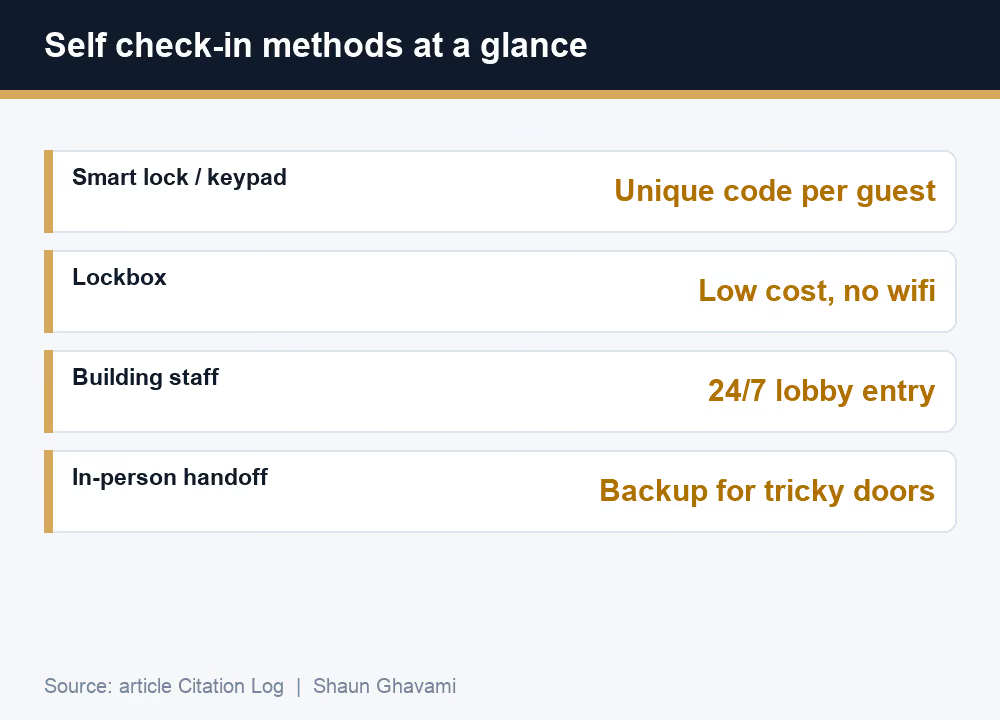
There is no single best method, only the right one for your door, your building, and your budget. Here is how the main options compare.
MethodHow it worksBest forWatch out forSmart lock (wifi)An app or code opens a connected deadboltUnique per-guest codes, remote controlNeeds wifi and battery checksKeypad lockA code on a keypad, no wifi requiredReliability and per-guest codesManual reprogramming, dead batteriesLockboxA code opens a small box holding a keyLow cost, no power or wifiA physical key can be copied or left outBuilding staff / doormanFront desk hands over accessCondos and secure lobbiesStaff hours, guest name on the listIn-person key handoffYou or a co-host meet the guestTricky doors and as a backupTies you to the guest's arrival timeOther (custom)A garage code or a property-specific entryUnusual entrancesMust be explained in plain steps
On cost, a keypad or wifi smart lock is typically a low-hundreds-of-dollars purchase (an example range, prices vary widely by brand and model), while a lockbox is the cheapest way to offer self check-in at all. If you host at any scale, I lean toward a keypad or smart lock, because being able to set and change a code per guest is worth far more than the hardware saving on a lockbox.
Want to run Airbnb income without owning the property or living nearby?Get the free Airbnb training and see how self check-in makes remote hosting work.
Write check-in instructions that actually work
The best entry hardware still fails if the instructions are confusing. Write them short and numbered, one action per line, the way you would text a friend who is standing at the door.
Include the exact address with a map link, where to park, the door to use and the code, what to do if the code does not work, the wifi name and password, and a photo of the actual entrance. A single entrance photo prevents more lockouts than any other line you can add.
You add these in your listing's check-in section, and Airbnb then shares them with the guest automatically about 48 hours before check-in and stores them in the guest's trip details in the app (Airbnb check-in instructions). Guests can see your check-in method when they book, but the detailed steps and codes appear at that 48-hour mark, so do not rely on them being visible earlier. Keep your arrival steps and your Airbnb house rules consistent so the guest gets one clear story, not two conflicting ones.
The same discipline applies on the way out, so pair your arrival steps with clear checkout instructions for a consistent guest experience start to finish.
Security: unique codes, changing codes, and backups
The core rule is simple: every reservation gets its own code, and you change it between guests so a past guest can never let themselves back in. Smart locks and keypads make this a 30-second job from your phone. If you use a lockbox, scramble the dial after every stay.
Self check in is usually the first thing hosts automate. For everything that comes after it, see the Airbnb automation program.
Never tape a physical key somewhere "hidden," because every guest who has stayed knows where it is. Keep a backup entry method for the day your wifi or a battery dies, and keep a spare code you can issue on the fly if a guest reports trouble. Treating access like a rotating password rather than a fixed key is what keeps self check-in genuinely secure.
Pair it with automated messaging
Self check-in only works if the code and directions reach the guest at the right moment. I set an automated message to go out the day before arrival with the address, parking, and door code, another on the morning of check-in, and a checkout reminder the night before departure.
This also protects your response time. Because pre-written messages handle the predictable questions, you reply faster to the real ones, which is exactly what Airbnb's Superhost standard of a 90% response rate within 24 hours rewards (Airbnb Superhost program). The messaging side is a topic of its own, so I built the full setup in Airbnb message automation. Self check-in and automated messages are two halves of the same system.
A library of guest communication templates makes it easy to keep this consistent across every booking, and clear arrival messaging also plays a role in preventing Airbnb parties, since a guest who knows the rules from the moment they get the door code is less likely to test them.
Common failure modes, and how to prevent them
Almost every lockout traces back to one of five causes, and each has a cheap fix.
Dead battery
Put your lock batteries on a calendar and change them on a schedule, not when they die. Keep spares on site so a cleaner can swap them in minutes.
A frictionless arrival is one of the quieter drivers behind the ratings I discuss in the Guest Favorite badge.
Wrong or expired code
Confirm the exact code in your pre-arrival message and test it during every turnover. Most "the code does not work" messages are an old code that was never updated.
Guest at the wrong door
Send a photo of the entrance and a map pin. This single step removes the most common non-technical lockout, especially in buildings with several doors.
Wifi down or smart lock offline
Keep a backup that works without wifi, such as a keypad or a lockbox with a physical key, so a dropped connection never leaves a guest stranded.
Guest arrives before the code is live
Since codes and instructions are shared about 48 hours out, an early guest may message before they have them. Answer quickly, or send the code yourself in a separate message. Self check-in is itself one of the amenities guests filter for, so getting it right protects a booking driver, not just a convenience. See where it ranks in my list of the best Airbnb amenities.
A quick setup checklist
Self check-in is one of the first systems I set up on any new property, right next to pricing and cleaning. If you are still building the business around it, the full how to start an Airbnb business pillar shows where check-in fits in the wider operation.
Building an Airbnb business you can run from anywhere?Get the free Airbnb training and I will show you the systems, starting with check-in, that make it hands-off.
A smooth self check-in setup is also part of what makes landing your first booking easier, and it pairs naturally with setting your cleaning fee, since both shape what a new guest experiences before they ever leave a review.
Frequently asked questions
How does Airbnb self check-in work?You pick an entry method, such as a smart lock, keypad, lockbox, building staff, or a key handoff, and add check-in instructions to your listing. Airbnb shares those instructions with the guest automatically about 48 hours before check-in, and the guest uses your code or key to let themselves in on their own schedule. You never have to meet them at the door.
What is the best lock for Airbnb self check-in?A keypad or wifi smart lock is the most reliable choice for hosts because you can set a unique code for each guest and change it between stays. A lockbox is the cheapest option and needs no power or wifi, but a physical key is easier to copy or misplace. Whatever you choose, always keep a backup entry method.
When does Airbnb send check-in instructions to the guest?Airbnb automatically shares your check-in instructions with the guest about 48 hours before check-in and stores them in the guest's trip details in the app. Guests can see your check-in method when they book, but the detailed steps and codes appear at the 48-hour mark. Many hosts also send the code in a separate pre-arrival message.
Is Airbnb self check-in safe?It is safe when you use a unique code for each guest and change it between stays so no one keeps working access to your place. Avoid leaving a physical key in the open, keep a backup entry method, and reset lockbox codes after every stay. Smart locks and keypads make per-guest codes simple to manage.
What if the guest cannot get in?Most lockouts come from a dead battery, an expired code, or a guest at the wrong door. Prevent them by testing the code on every turnover, putting lock batteries on a schedule, keeping a wifi-free backup like a keypad or lockbox, and sending a photo of the entrance. Always give the guest a fast way to reach you or your co-host.
Do I need self check-in to be a Superhost?No, self check-in is not a Superhost requirement, but it helps you hit the ones that matter. Because you are not tied to meeting arrivals, it is easier to keep a 90% response rate within 24 hours and a high rating. Superhost is assessed every three months on rating, response, cancellations, and completed stays.
.png)
Be Part of our Community.
Let’s transform properties into powerhouses.
